
Thermostat Error Codes
| CODE | MEANING | DETAILS |
|---|---|---|
| 01 | Comm connection link failure | |
| 02 | Floor sensor overheated or overcooled | |
| 03 | Floor sensor open | |
| 04 | Floor sensor short | |
| 05 | Lost link with coordinator (not used) | |
| 06 | Lost link with StatLink® 8 Zone Wireless Wiring Module | |
| 07 | Lost link with Wireless Valve Actuator | The gateway may have lost power; if upon powering up the gateway the error code persists it means the thermostat couldn't create a connection with the wireless actuator valve. Put the system in ID mode to force a reconnection with the valve. Note that the valve will try to rejoin every 5 minutes for the first 30 minutes, then every 10 minutes for 1 hour, then every 30 minutes. If it is unable to reconnect, you may need to reset the valve and pair it again. |
| 08 | Lost link with Wireless Relay (RX1) | |
| 09 | Lost link with Wireless Relay (RX2) | |
| 10 | Lost link with hot water timer | |
| 11-18 | StatLink® Wireless Wiring Module lost link with zone, displayed on all connected thermostats. 11=Zone 1, 12=Zone2, etc. | |
| 19 | StatLink® Wireless Wiring Module lost link with coordinator (not used) | |
| 20 | StatLink® Wireless Wiring Module lost link with Wireless Relay (RX1) | |
| 21 | Wireless Valve Actuator lost connection with coordinator/gateway | If the gateway is offline, but an AC device, like the wireless module, relay or smart plug is online, the valve may communicate with the thermostat through these devices, but still cannot connect with the gateway. |
| 22 | Wireless Valve Actuator low battery, displayed on all connected thermostats | |
| 23 | Invalid Wireless Valve Actuator | |
| 24 | Unit is rejected by StatLink® Wireless Wiring Module | |
| 25 | Thermostat lost link with parent | One of the thermostats couldn’t find any AC device (Gateway, Wireless Module, Relay or smart plug). Put the thermostat in ID mode to see if the the other device flashes. |
| 26-29 | Not applicable | |
| 30 | Wireless Valve Actuator gear issue | |
| 31 | Wireless Valve Actuator adaptation issue | |
| 32 | Reserved for future use | |
| 33 | Wireless relay lost link with devices |
Factory Reset
Sometimes it may be necessary to reset the thermostat and re-pair it to your Smart System. Follow these steps to erase all user settings and factory reset the thermostat.
- Hold check, and right/left arrow keys together for 3 seconds
- Use the Up arrow to scroll up to menu 47
- Press to accept
- Press to accept
- Press to accept Reset (RES)
- The thermostat will go through the startup boot sequence
- The thermostat is now ready to pair
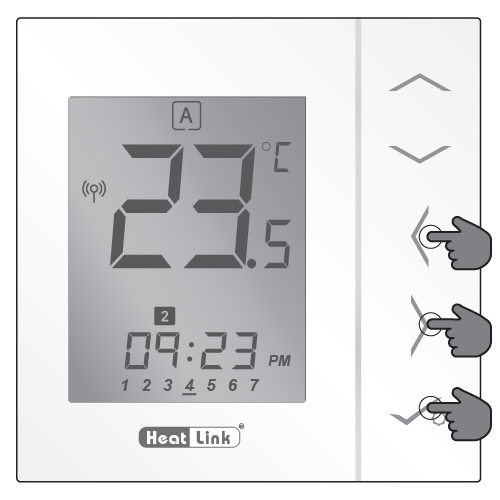
Long press the left and right arrows, and the check button for 3 seconds
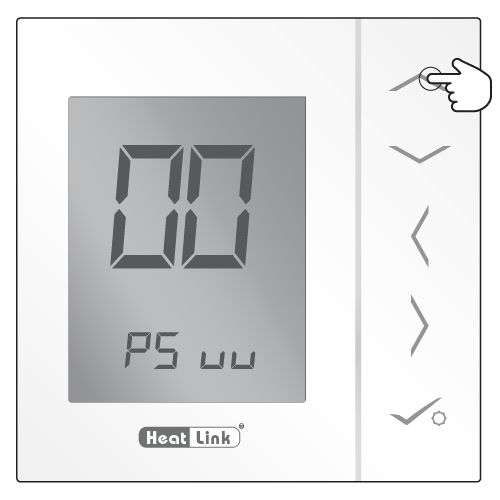
Use the Up arrow to scroll to menu 47
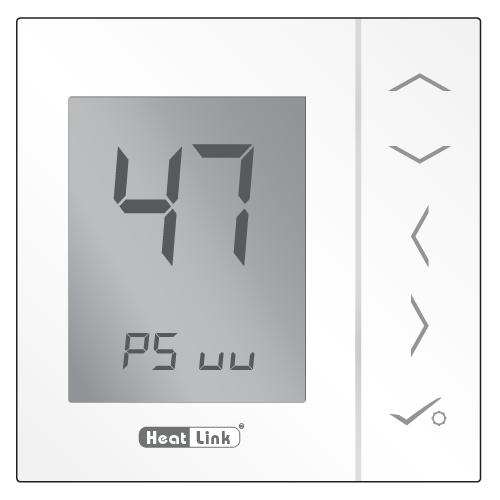
Menu 47
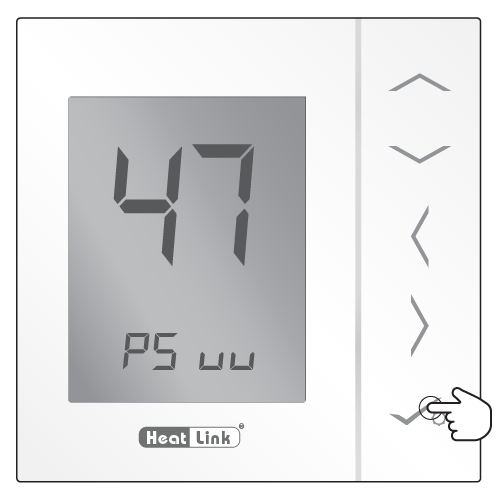
Enter Menu 47
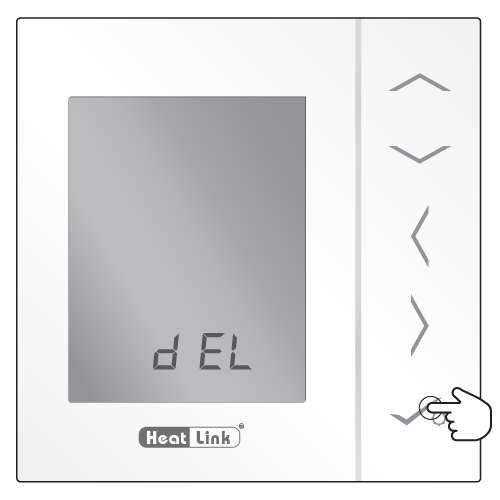
Accept delete from network
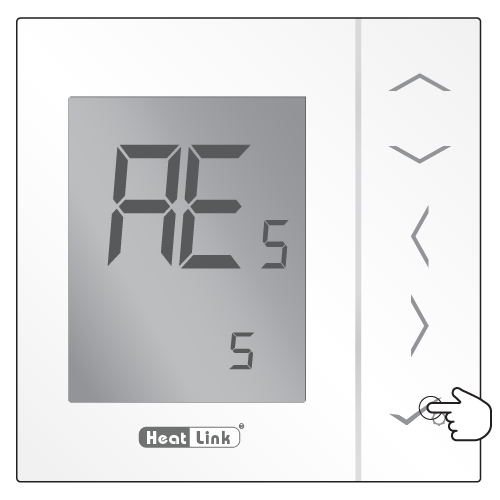
Accept the Reset